Convert
Conversion Popups
Popups that respect the shopper — smart timing, brand-matched design, AI copy that converts without the cringe.
Free plan · Pro $14.99/mo · Max $39.99/mo · 7-day trial on paid tiers
Inside the app
Every screenshot is the real thing.
01 · /app/campaigns/:id
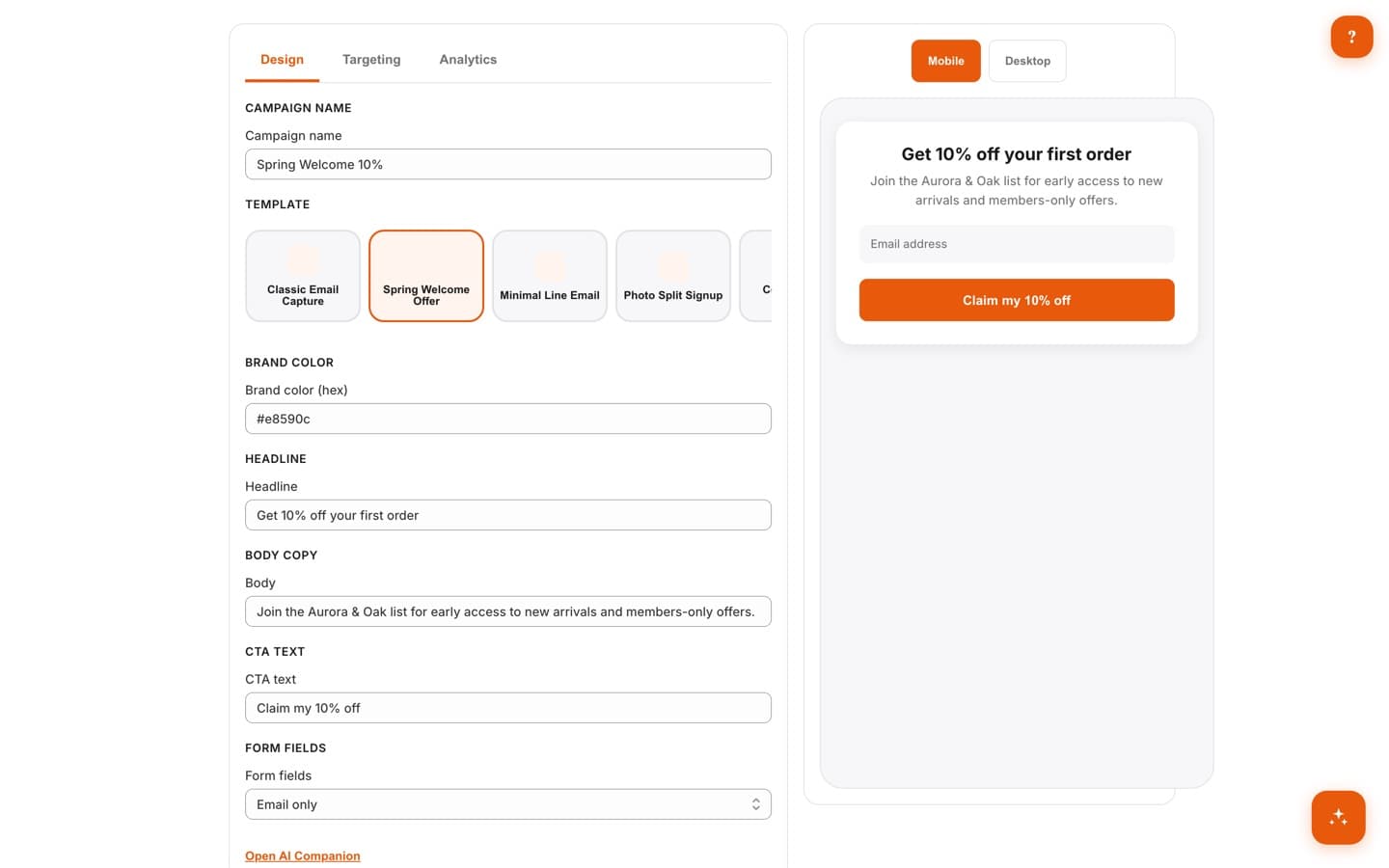
Live-Preview Campaign Editor
Build popups in Design, Targeting, and Analytics tabs while a live mobile-first preview (with a desktop toggle) shows exactly what shoppers will see as you type. The AI Companion suggests headlines and CTA copy on demand, so you're never staring at a blank field.
02 · /app/campaigns
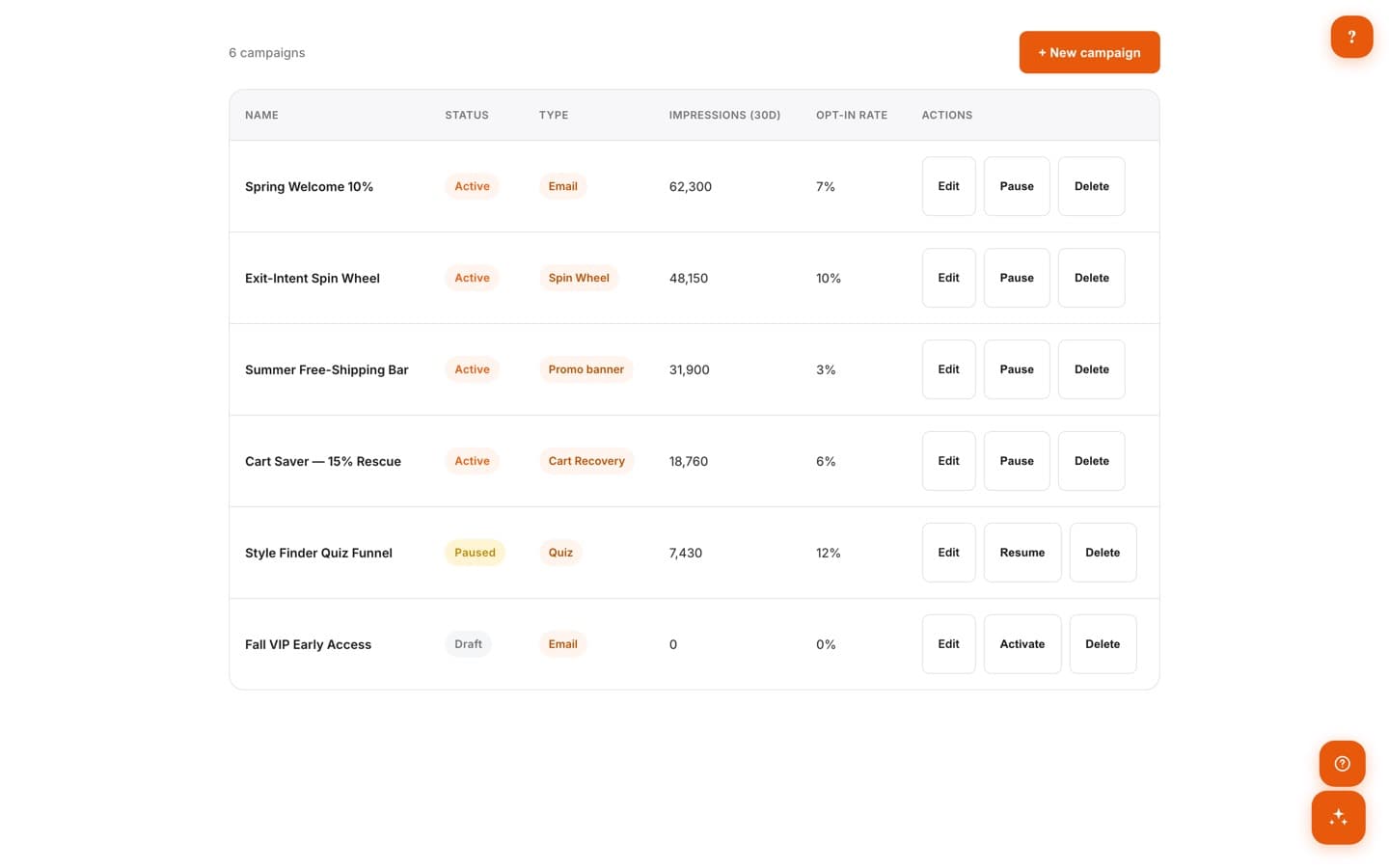
4 Popup Types, Incl. Spin Wheel
Run email capture, multi-step quizzes, spin wheels, and animated scratch cards side by side, and manage them all from one campaign list. SMS capture works via a phone field, and exit-intent is a display trigger — every type is available on every plan, including Free.
03 · /app/dashboard
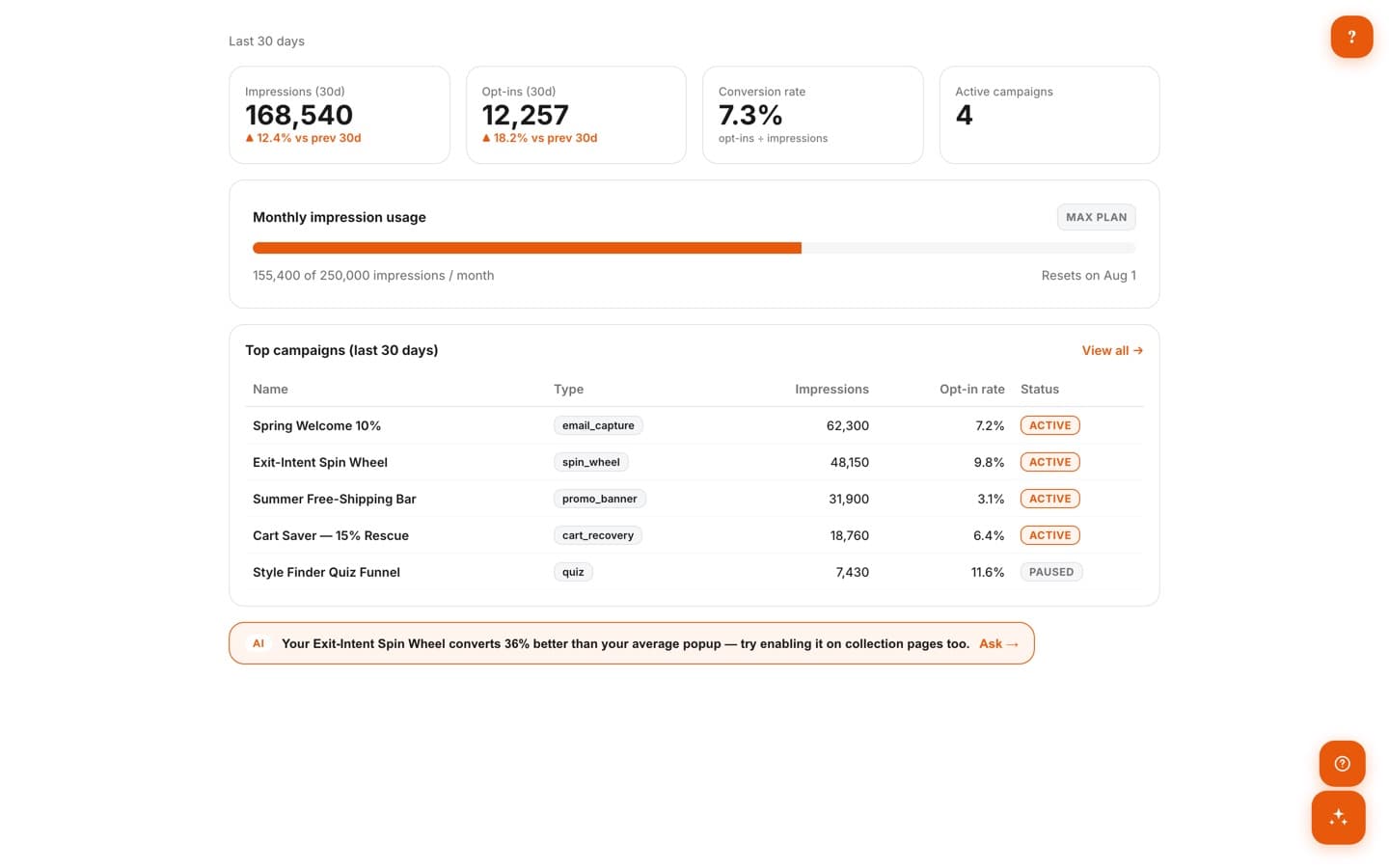
Transparent Impression Meter
A color-coded meter on the dashboard shows exactly how much of your monthly impression quota is used and when it resets. Hit the cap and display simply pauses until next month — you will never open a surprise overage bill.
04 · /app/templates
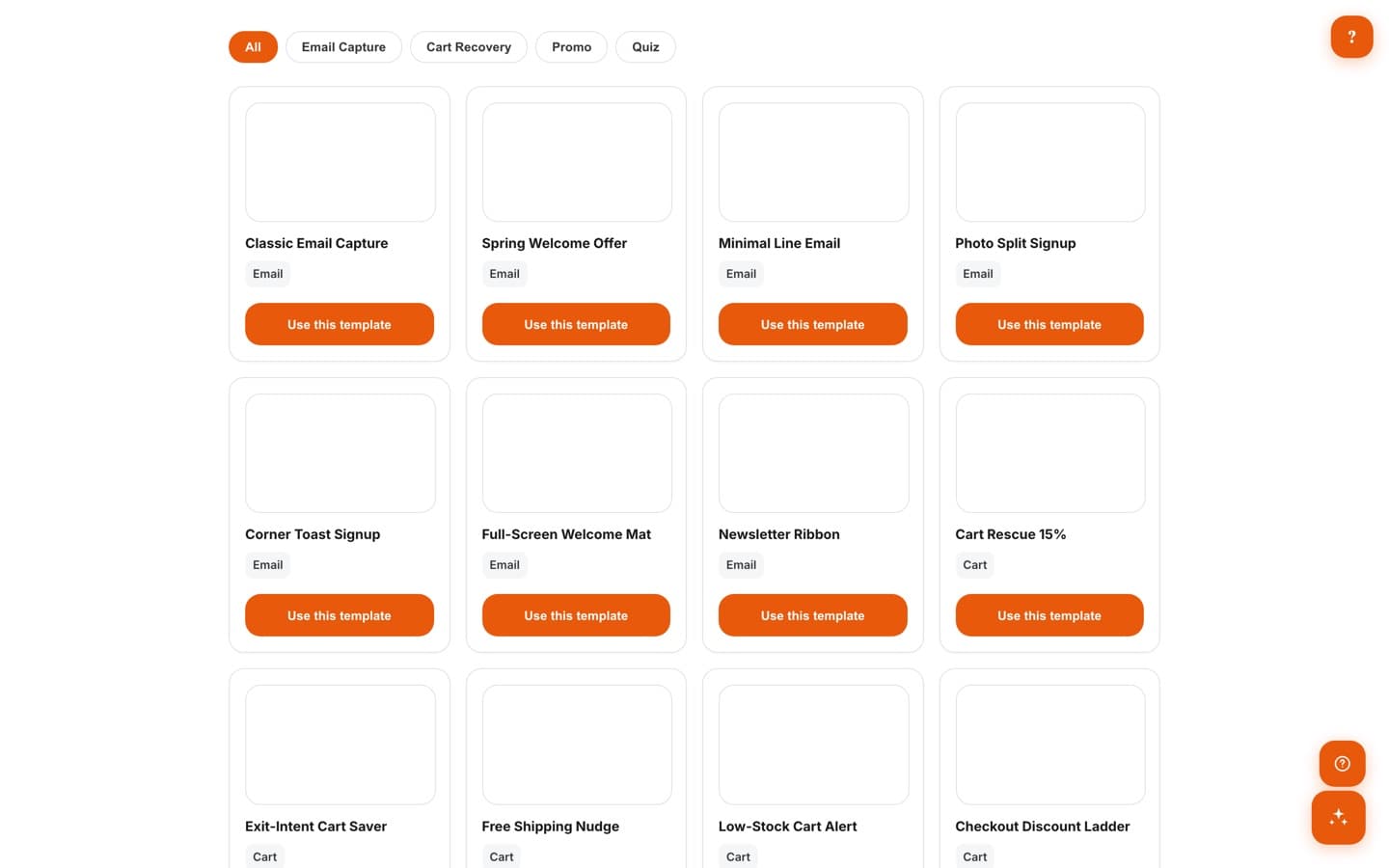
Curated Template Gallery
Start from 25 curated editorial templates, filterable by goal — email capture, cart recovery, promo, or quiz. One click loads a template into the editor, where Brand-Friendly Mode restyles it with your theme's color, font, and logo.
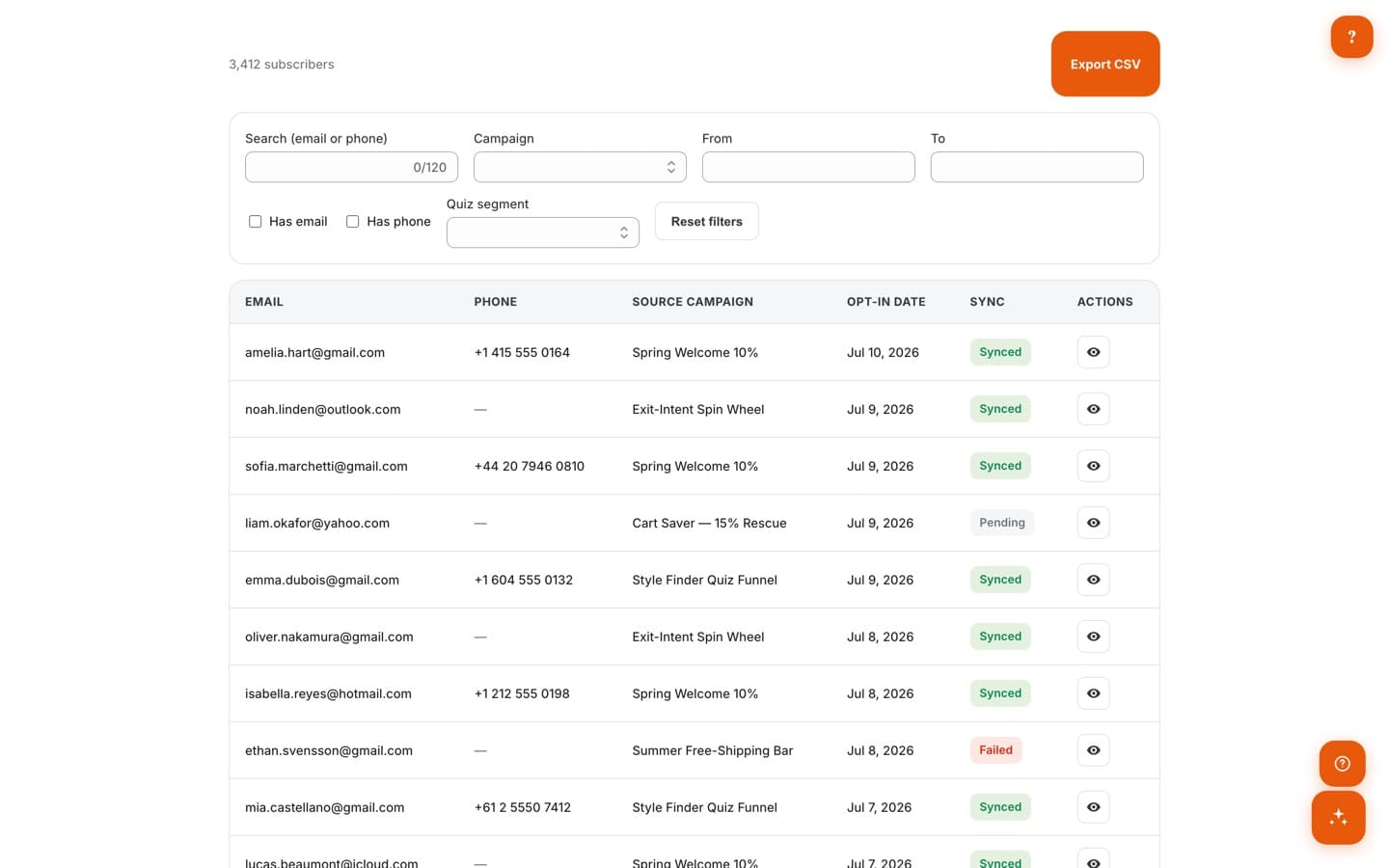
05 · /app/subscribers
Subscriber Management
Every capture lands in a searchable list with its source campaign, opt-in date, and ESP sync status. Export any segment to CSV, and honor privacy requests with per-subscriber GDPR export and delete built in.
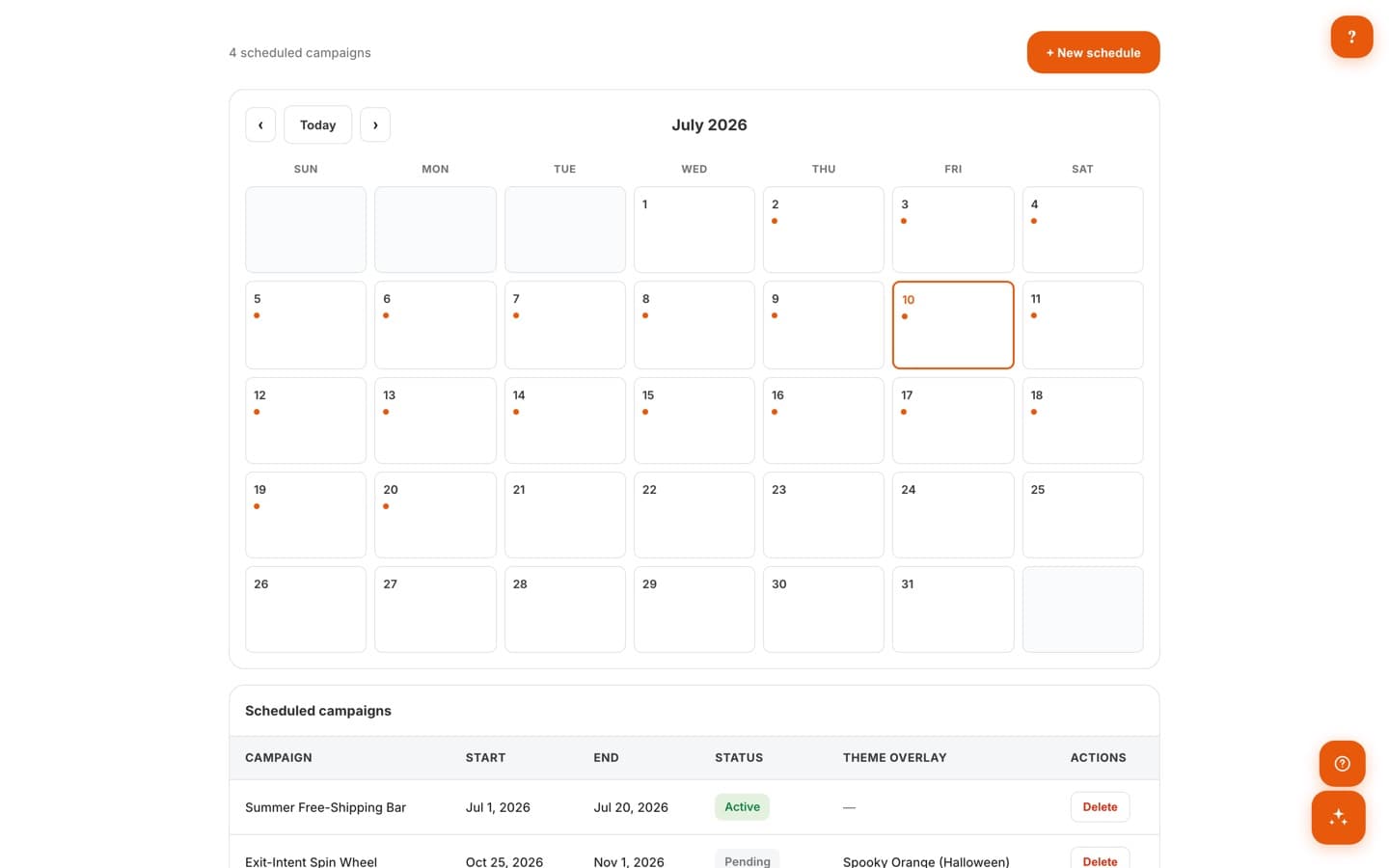
06 · /app/schedule
Scheduling + Seasonal Themes
Plan campaigns on a visual calendar with start and end dates, and let seasonal theme overlays swap your popup's look automatically for holidays — a Halloween wheel in October, back to brand colors in November. No midnight publishing required.
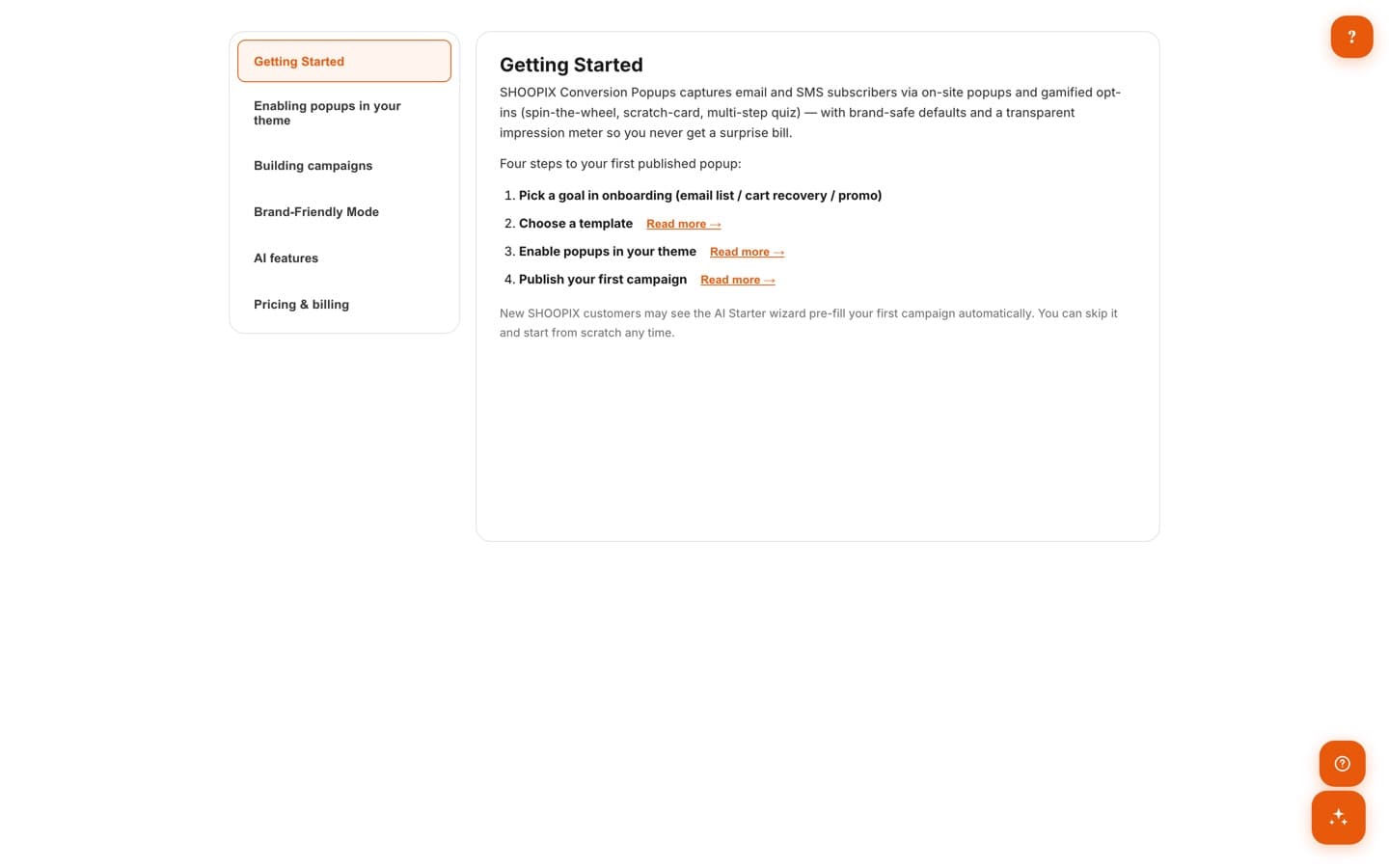
07 · Getting Started
Guided Setup
A built-in getting-started guide walks you through enabling popups in your theme, building campaigns, Brand-Friendly Mode, and the AI features — four steps to your first published popup, in minutes rather than days.
Works well with
Convert
Product Reviews
An agent that collects, moderates, and showcases reviews with photos and video — social proof on autopilot.
Convert
SmartPersonalize
AI-ranked recommendations, smart cart, and post-purchase upsells that reshuffle themselves for every shopper.
Price & Sell
Dynamic Pricing
A pricing agent that tracks competitors and reprices within your guardrails — margin protected, around the clock.
Put Conversion Popups to work on your store.
One app, or the whole agentic OS — install what you need, free to start.