Retain
Subscription
Subscriptions with best-in-class failed-payment recovery — an agent that saves revenue you'd never chase by hand.
Free plan · Pro $14.99/mo · Max $39.99/mo · 7-day trial on paid tiers
Inside the app
Every screenshot is the real thing.
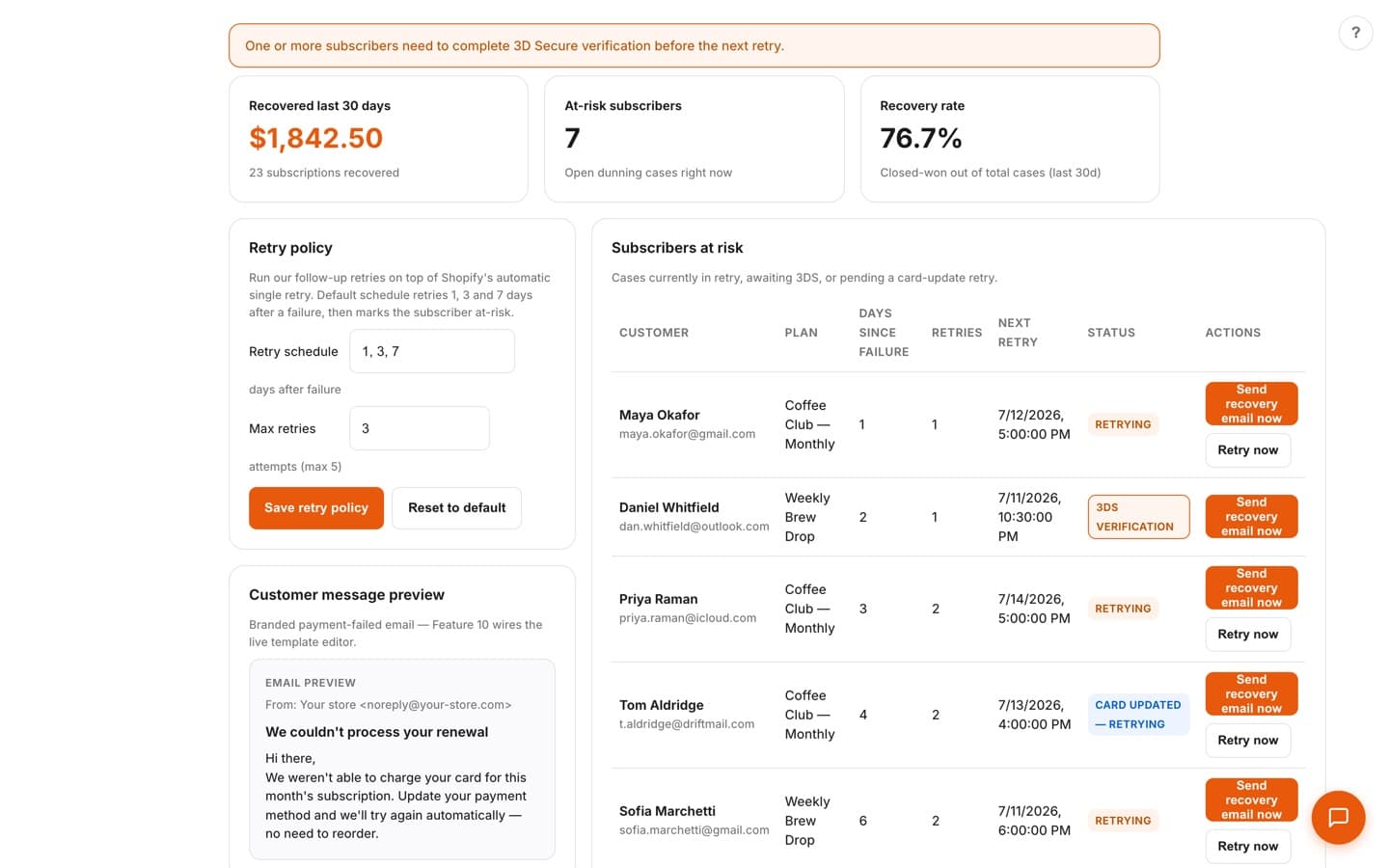
01 · /app/recovery
Failed-Payment Recovery
The hero feature. Recovered-revenue KPIs show exactly how much money came back — recovered in the last 30 days, at-risk subscribers, and recovery rate — while the app-owned retry scheduler runs follow-up retries on top of Shopify's single automatic retry. Tune the retry policy, preview the branded dunning email, and send a recovery email to any at-risk subscriber with one click.
02 · /app/plans
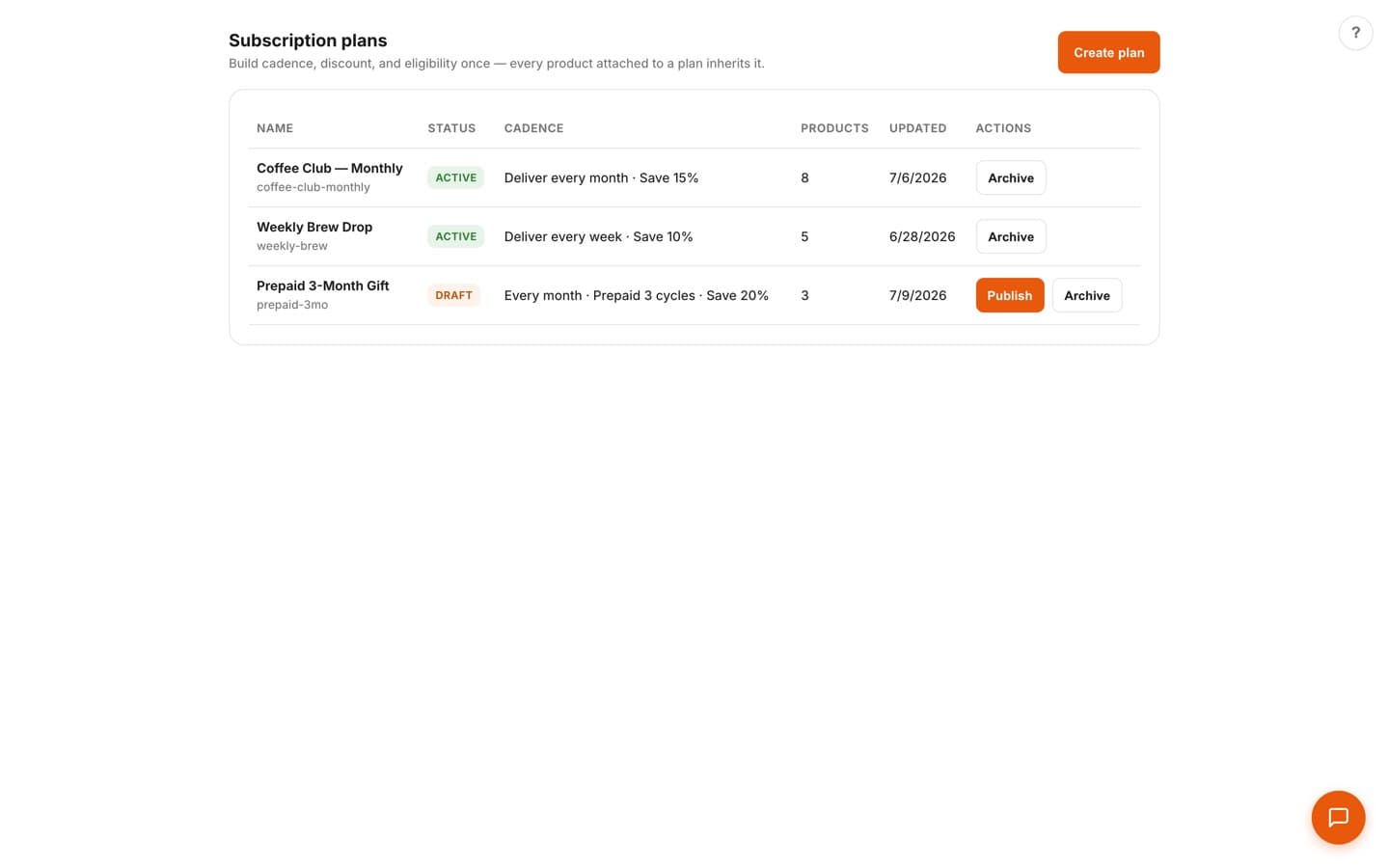
Selling-Plans Editor
Build cadence, discount, and eligibility once — every product attached to a plan inherits it. A 5-step stepper walks you from basics through delivery cadence and anchor day, discounts (including tiered and prepaid), and eligibility to a live storefront preview, all wired to Shopify's selling-plan APIs.
03 · /app/subscribers
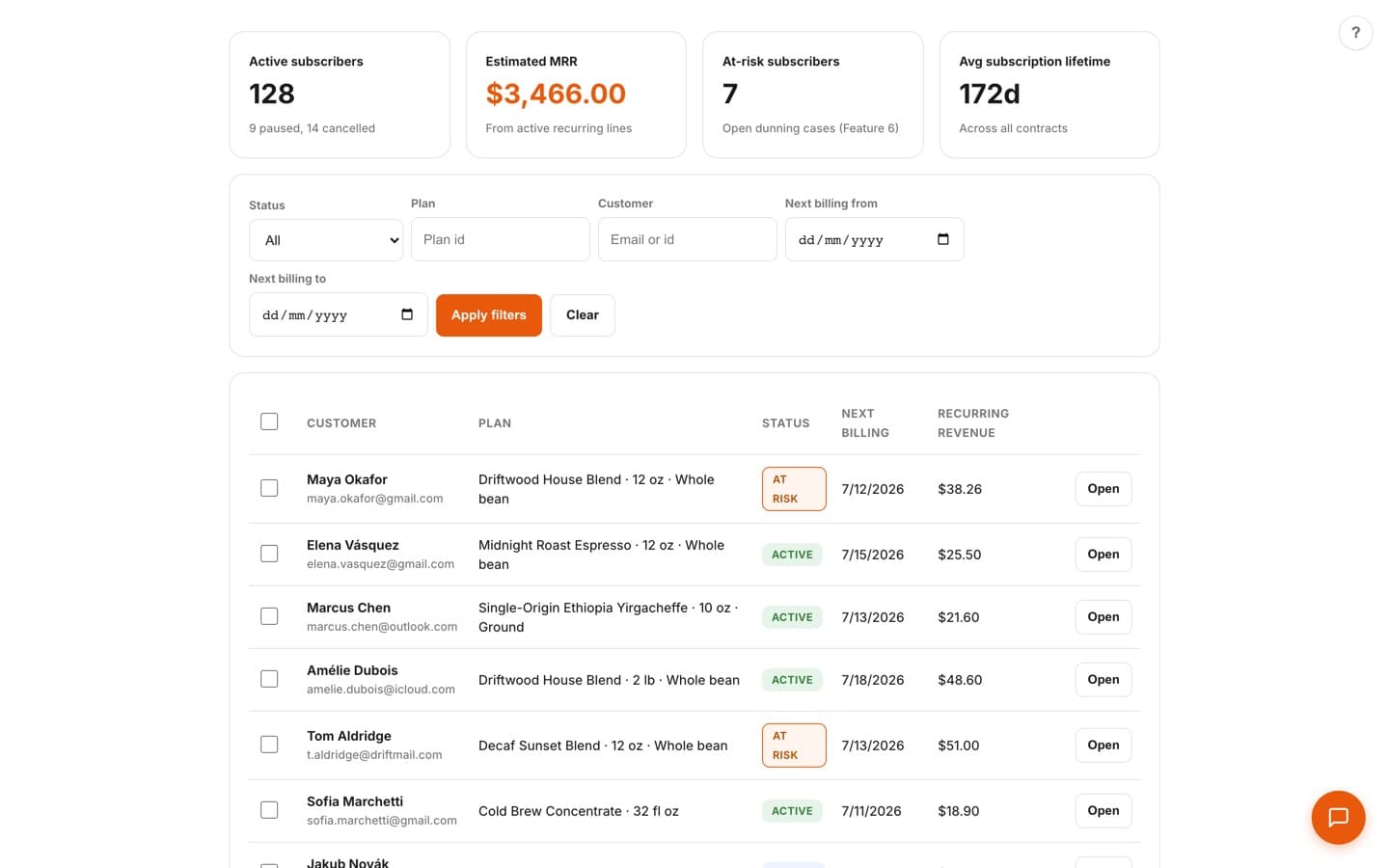
Subscriber Command Center
Every contract in one list, with active-subscriber, MRR, at-risk, and lifetime KPIs on top. Each contract supports six actions — skip, reschedule, swap, add one-time, pause, and cancel — plus a bulk toolbar with built-in rate-limit throttling for large batches.
04 · /app/widget-placement
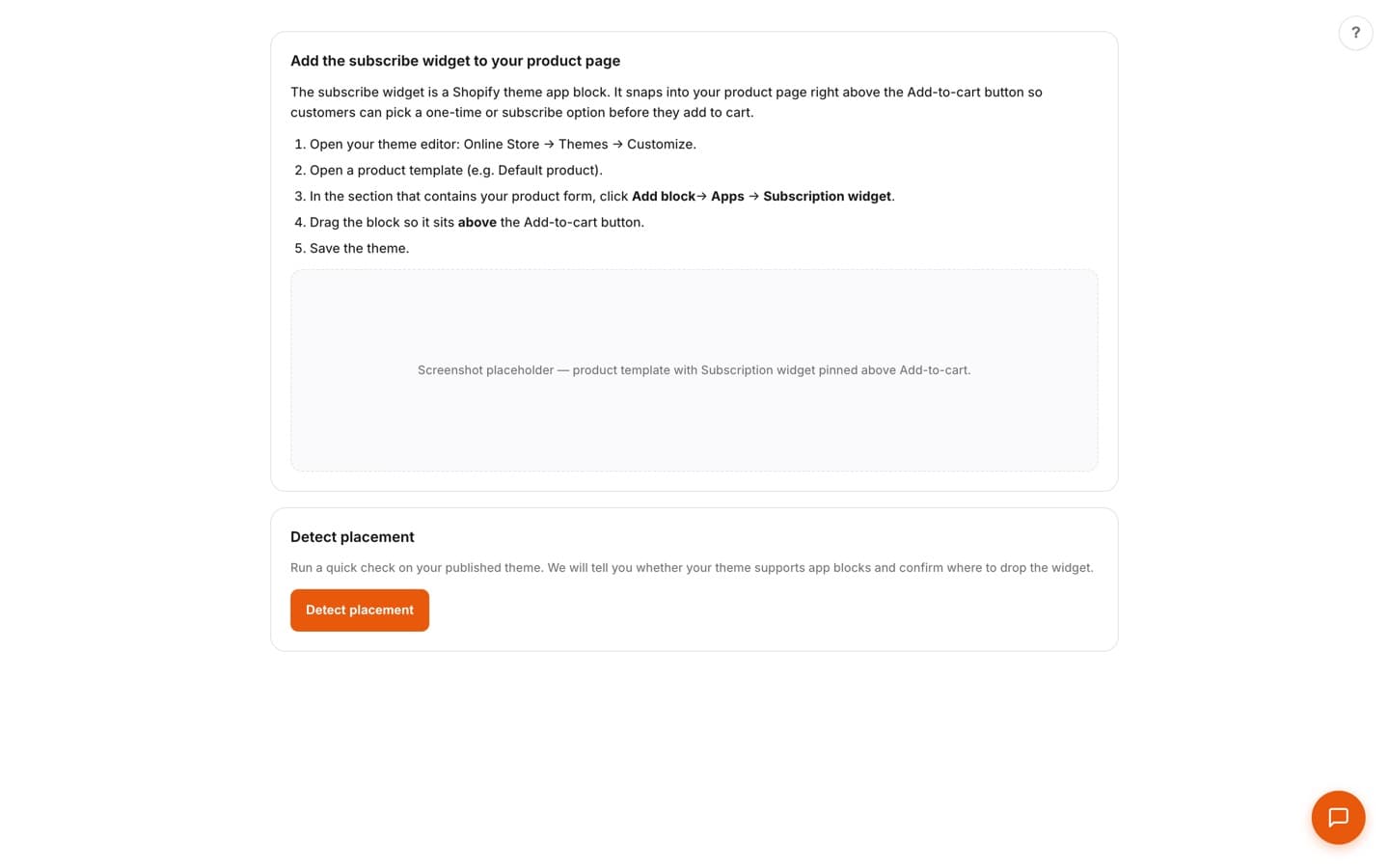
Widget Setup in Minutes
Guided theme-block placement with OS 2.0 detection puts the subscribe widget right above Add-to-cart — a one-time vs subscribe choice with a cadence picker. Subscribers then manage themselves in the customer-account portal: skip, reschedule, swap, add one-time, or update their card.
Works well with
Retain
Loyalty Program
Points, VIP tiers, and referrals with a customer hub that keeps your best shoppers coming back.
Retain
Direct Marketing
Email + SMS in one place, with AI campaigns and plain-English audience segments.
Convert
Conversion Popups
Popups that respect the shopper — smart timing, brand-matched design, AI copy that converts without the cringe.
Put Subscription to work on your store.
One app, or the whole agentic OS — install what you need, free to start.